A recurring programming queue
Discuss ongoing CAM support for a regular flow of production work, with the workload and scope agreed together.
External press-brake CAM programming
Specialist programming capacity for recurring production. Prepared for your machine, control and tooling.
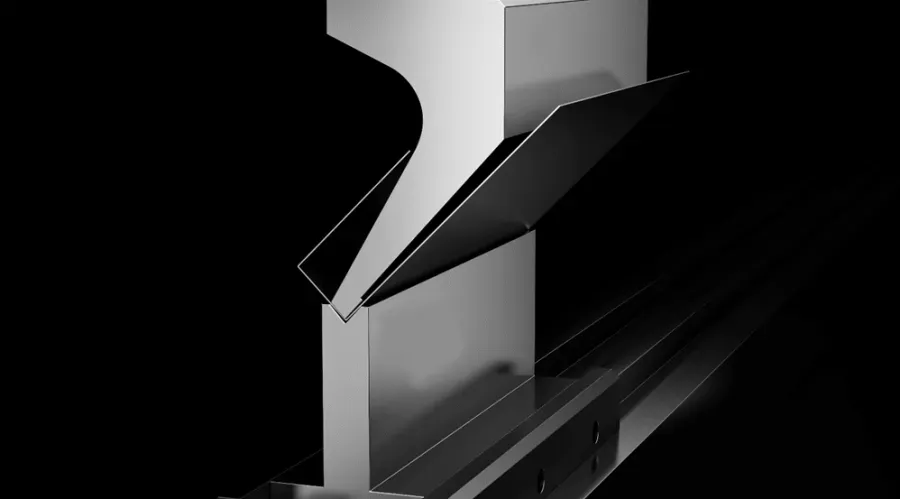
01 / The delivery
Agreed programming outputs, delivered through your authenticated client Portal. Clear revision context, right where you retrieve your files.
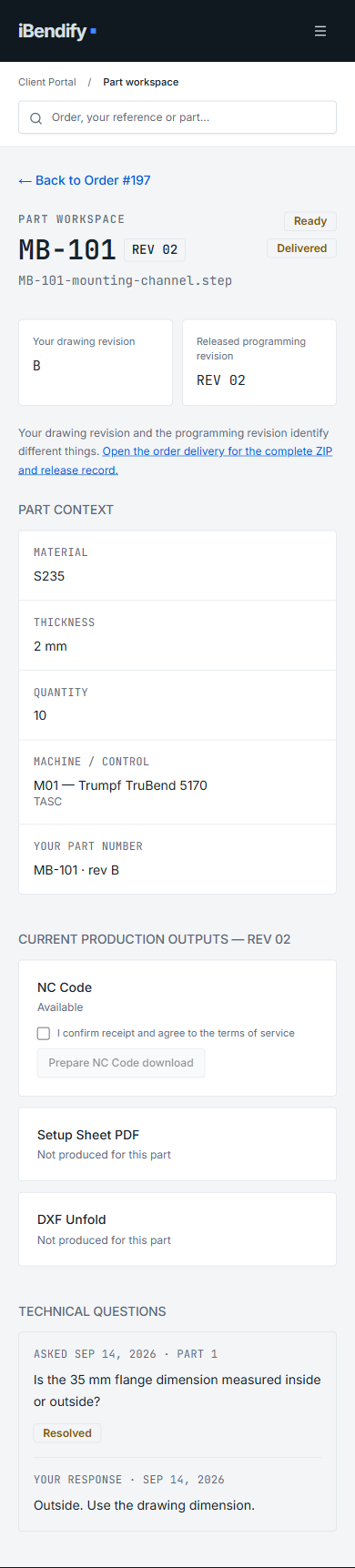
Built for recurring production
Discuss ongoing CAM support for a regular flow of production work, with the workload and scope agreed together.
Bring in specialist programming support while your team retains machine setup and shop-floor validation.
Start with your existing machine, control, tooling and source information. We confirm technical fit before work begins.
Founder-led specialist service. You work directly with Patrik, the specialist programming your jobs. The iBendify Portal supports the collaboration with files, technical questions, status, revisions and controlled delivery.
02 / The process
A clear route from the information you already have to programming prepared for your production setup.
Share the STEP, DXF, drawings and job context you already have.
Existing production informationWe use what is already defined and clarify only missing or ambiguous details.
Targeted technical clarificationCAM programming and technical review for your agreed machine, control and tooling.
Your programming contextAccess the agreed NC files and setup documentation through your client Portal.
Controlled deliveryYour team remains responsible for machine setup, first-piece checks and shop-floor validation.
03 / Your client Portal
Explore the workspace, from the order and its machine context to downloading the delivered outputs together.
Client login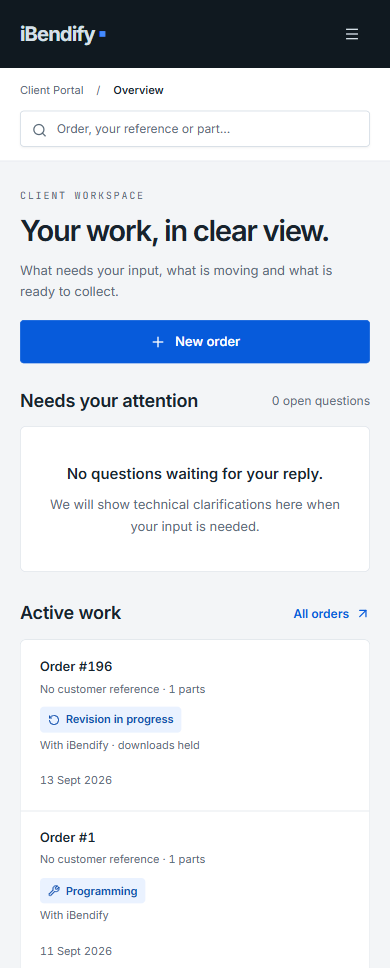
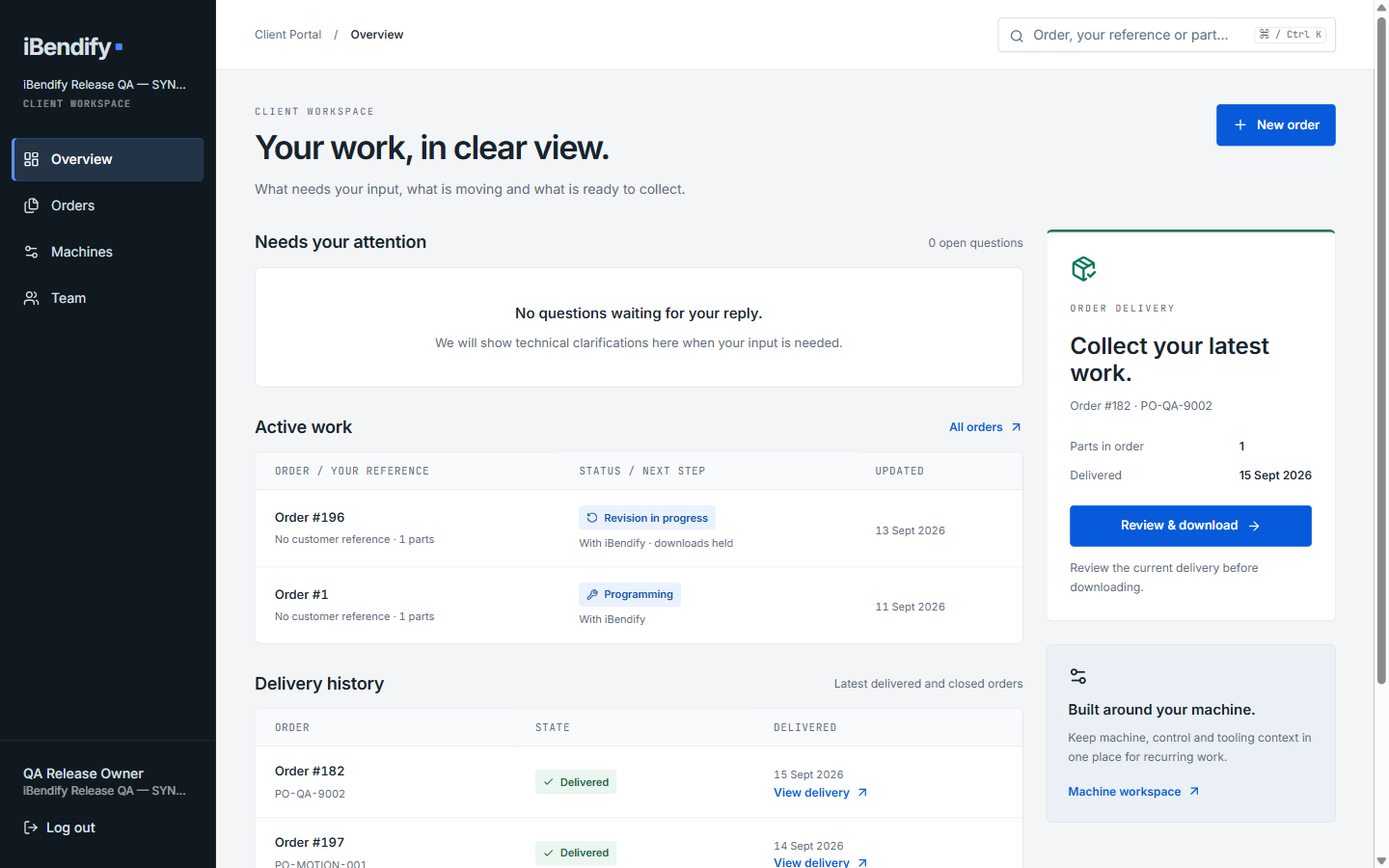
See active work, delivery history and the navigation to Orders, Machines and Team.
Full desktop Overview with sidebar. Mobile capture uses the Portal’s compact navigation. Captures contain example data from separate QA sessions.
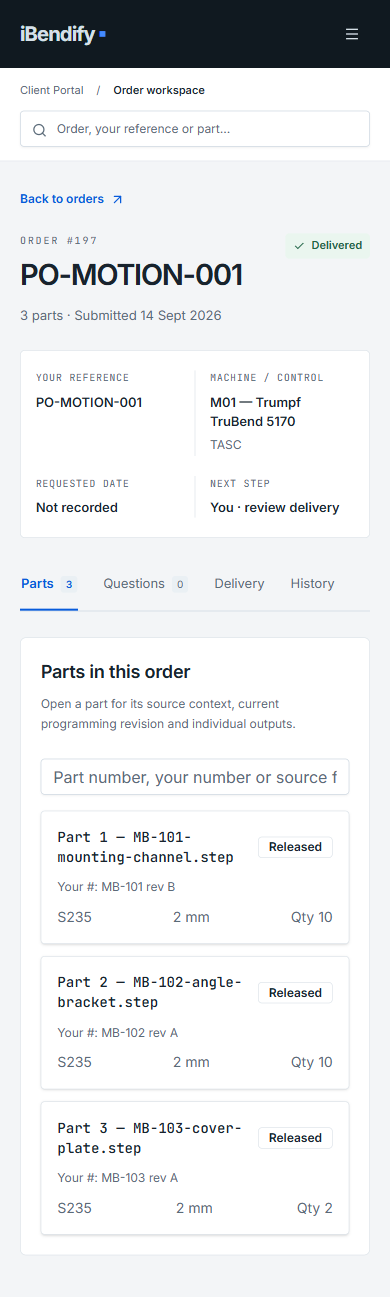
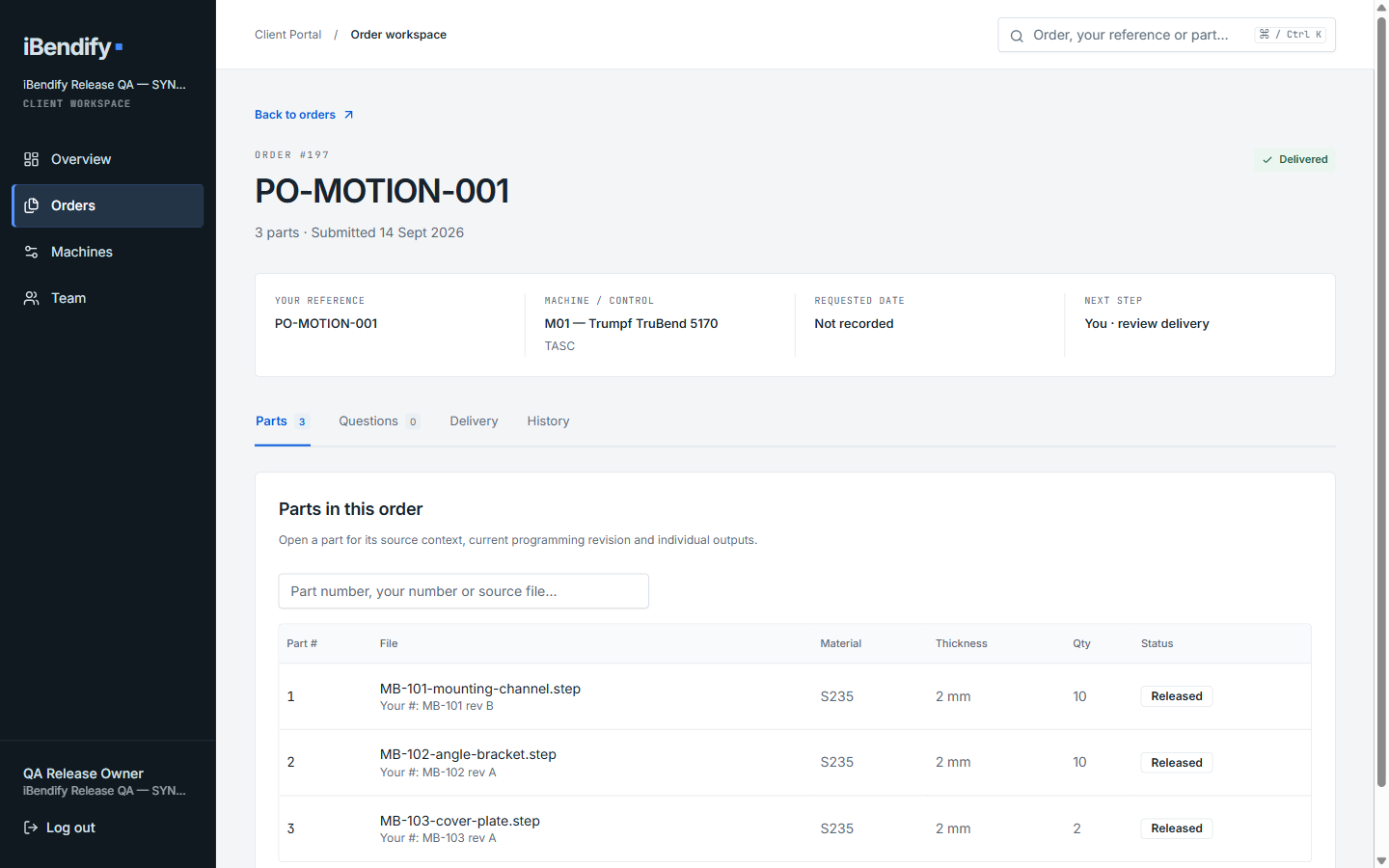
Keep the parts for an order together, with their references, quantities and status visible in the workspace.
Actual parts list from example Order #197. The desktop table becomes individual part cards on mobile.
See the target machine and control attached to the order. Technical fit is established for your specific setup before recurring work begins.
Order context showing the example machine and control. This is not a capture of the Machines configuration page or a compatibility approval.
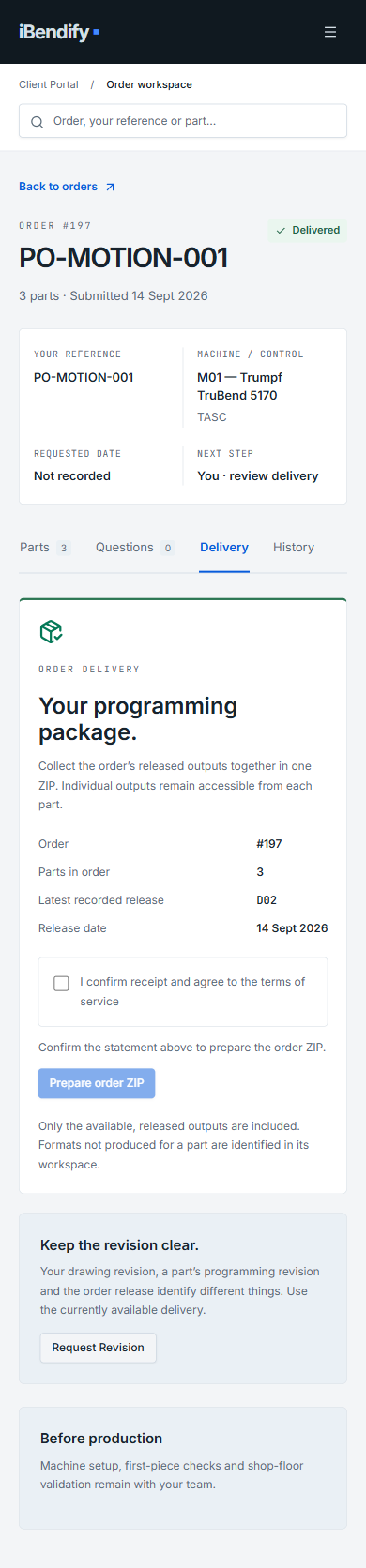
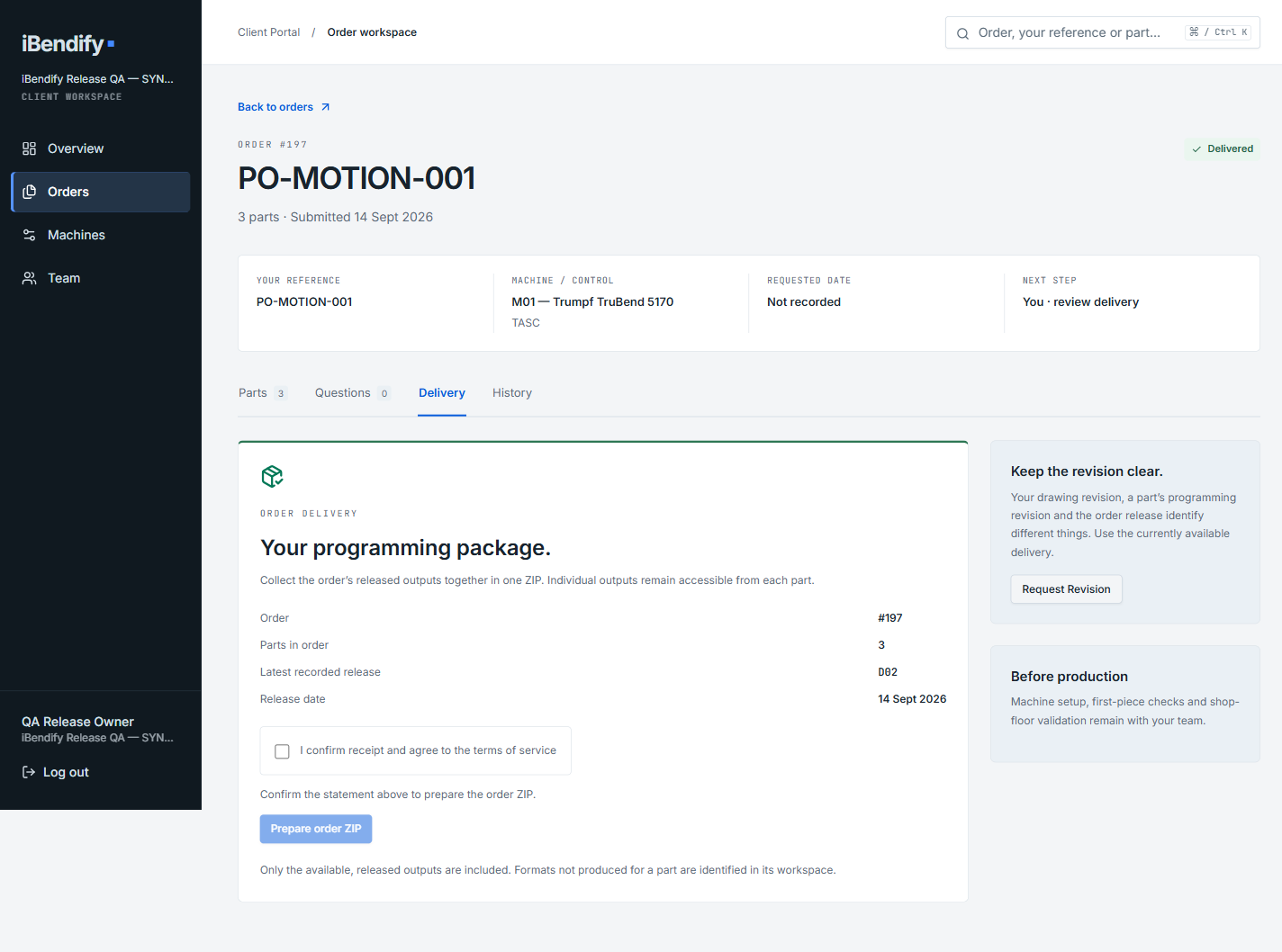
Download the available production outputs for your order in one ZIP package, without retrieving every file individually.
The real Download Package (ZIP) action is shown before the required acknowledgement is checked. Available contents depend on the delivered outputs and agreed scope.
1 / 4 — Overview
04 / Technical fit
We confirm the programming context before recurring work begins. Then reuse it until something changes.
Compatibility is established for the agreed setup.
05 / Let’s talk production
Start with your machine and an approximate workload. No production files are needed for this first enquiry.
We follow up by email to understand what you need.
Check the machine, control, tooling and expected outputs.
Set the scope and onboarding steps before programming begins.
Prefer email? Start the conversation here.
Before we begin
FAQ
The focus is recurring external CAM programming for manufacturing teams. We discuss your expected workload and agree the collaboration before work starts. Portal access supports that service; it is not a self-serve programming subscription.
We discuss your recurring workload, technical setup and expected outputs, then propose an individual scope and commercial terms. There is no public per-part checkout. Sending an enquiry starts that discussion; it does not place an order.
Tell us your workload and timing requirements in the enquiry. Scope, available capacity and the information needed for programming are discussed before a schedule is agreed. Submitting a request does not reserve capacity or confirm a turnaround time.
We confirm fit against your actual machine, control and tooling before accepting recurring work — a brand or control family alone isn't enough. That check happens once during onboarding, then carries forward unless your setup changes.
We start from your existing STEP, DXF, drawings and job context, use what is already defined, and clarify only missing or ambiguous details. Portal New Order accepts STEP/STP or IGES/IGS geometry, with PDF reference documents. It does not accept DXF, image drawings or ZIP uploads, and cannot create a drawing-only order. Discuss how to provide those sources before submission. Outputs depend on the agreed setup and can include NC code, setup-sheet PDF and DXF unfold; DXF output does not imply DXF upload support.
Access is invite-only through your authenticated client Portal. Changes are requested explicitly there; each release stays attached to its order, so a newer file is never silently assumed current, and superseded output is clearly marked.
Not in the normal model. Programming happens in iBendify's own environment once your setup is confirmed — we don't need live access to your CAM system or programming PC. Any exception is agreed during technical fit.
Practical guides